
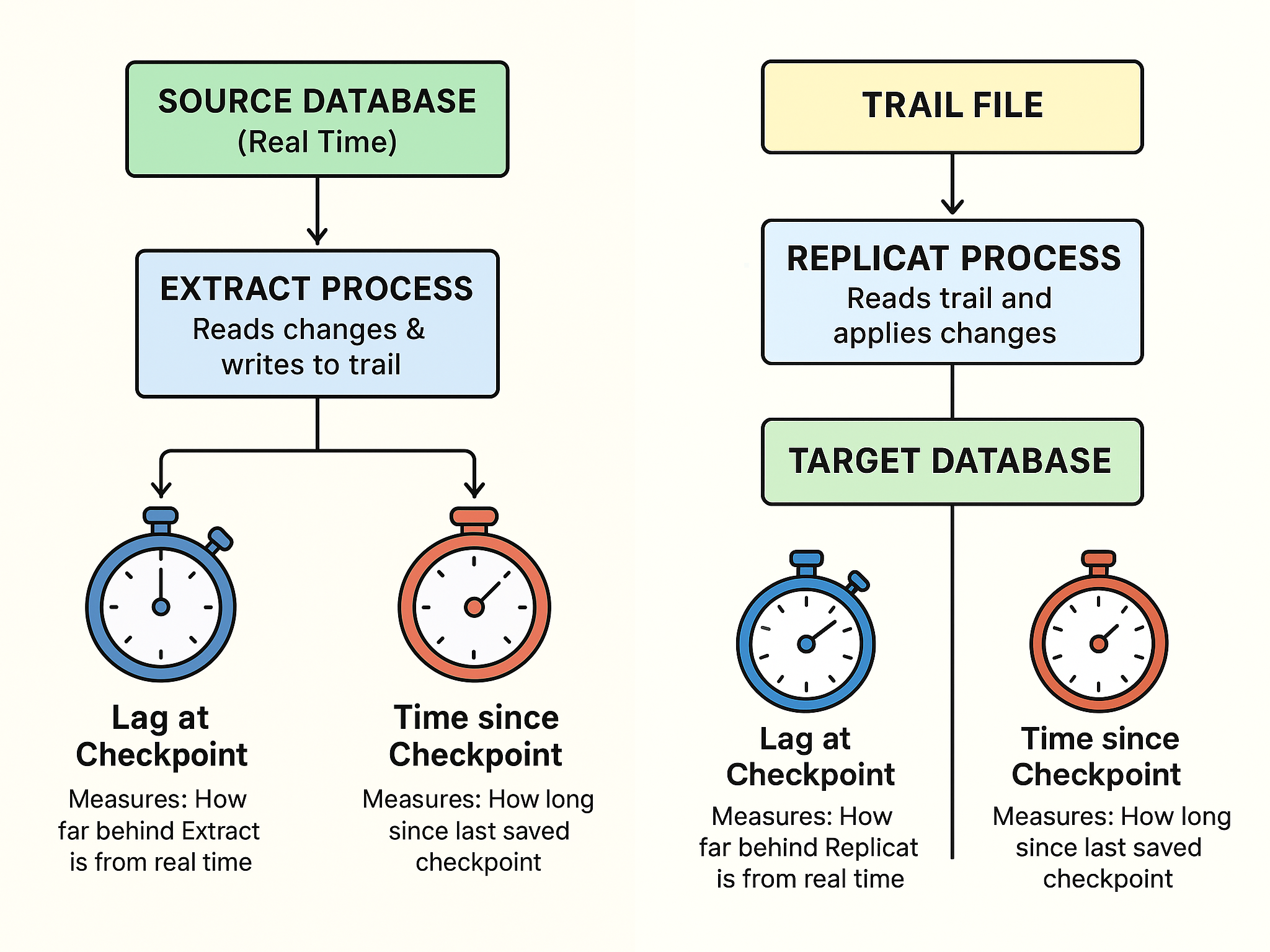
When monitoring your Oracle GoldenGate setup, two important metrics often appear on your GGSCI dashboard — Lag at Checkpoint and Time Since Checkpoint , understanding them is key to knowing whether your data replication is healthy and up-to-date.
Lag at Checkpoint – “How Far Behind Am I?”
Lag at Checkpoint works like a stopwatch that shows how far behind GoldenGate is in processing the latest database changes.
-
- If this number is small, GoldenGate is keeping up — changes on the source database are being captured and applied almost instantly on the target.
-
- If this number is large (in seconds, minutes, or even hours), replication is falling behind.
Example:
If your source database time is 10:05:00, and the last transaction captured was from 10:04:45,
then:
Lag at Checkpoint = 15 seconds
Meaning the Extract or Replicate process is 15 seconds behind real time.
So, a growing lag means the replication process isn’t catching up fast enough — perhaps due to heavy data load, slow I/O, or network delay.
Next , Time Since Checkpoint – “When Did I Last Save My Progress?”
Time Since Checkpoint tells you how long it’s been since GoldenGate last saved its progress (called a checkpoint).
Checkpoints are like save points in a game — they allow GoldenGate to remember where to resume if a process stops or crashes.
If Time Since Checkpoint keeps increasing:
-
- The process may be stuck, waiting on resources, or not processing new data.
-
- It can also indicate that the system hasn’t written a new checkpoint due to a long-running transaction or lag in applying records.
Example:
If the Extract process last wrote a checkpoint 3 minutes ago, and it’s still running without updating it, that could mean it’s waiting to process a big transaction or facing a performance bottleneck.
| Metric | Think of it as... | What It Tells You | When It’s a Problem |
|---|---|---|---|
|
Lag at Checkpoint |
A stopwatch |
How far behind replication is |
When lag > your normal baseline |
|
Time Since Checkpoint |
A timer |
How long since last checkpoint was saved |
When it keeps growing steadily |
In Short,
Both these metrics act like health indicators for your replication setup:
- Lag at Checkpoint → Tells you how delayed the data movement is.
- Time Since Checkpoint → Tells you when progress was last saved.
Keeping these numbers low ensures faster, reliable, and real-time data replication between your databases.